
Elastic
Jina AI
Models
API
keyboard_arrow_down
Reader
Convert any URL to Markdown for better grounding LLMs.
Embeddings
Multimodal multilingual embeddings.
Reranker
Reranker for maximizing search relevancy.
Elastic Inference Service
Run Jina models natively inside Elasticsearch.
MCP
terminal
CLI
article
llms.txt
smart_toy
Agents
data_object
Schema
menu_book
Docs
Log in
login

Reader

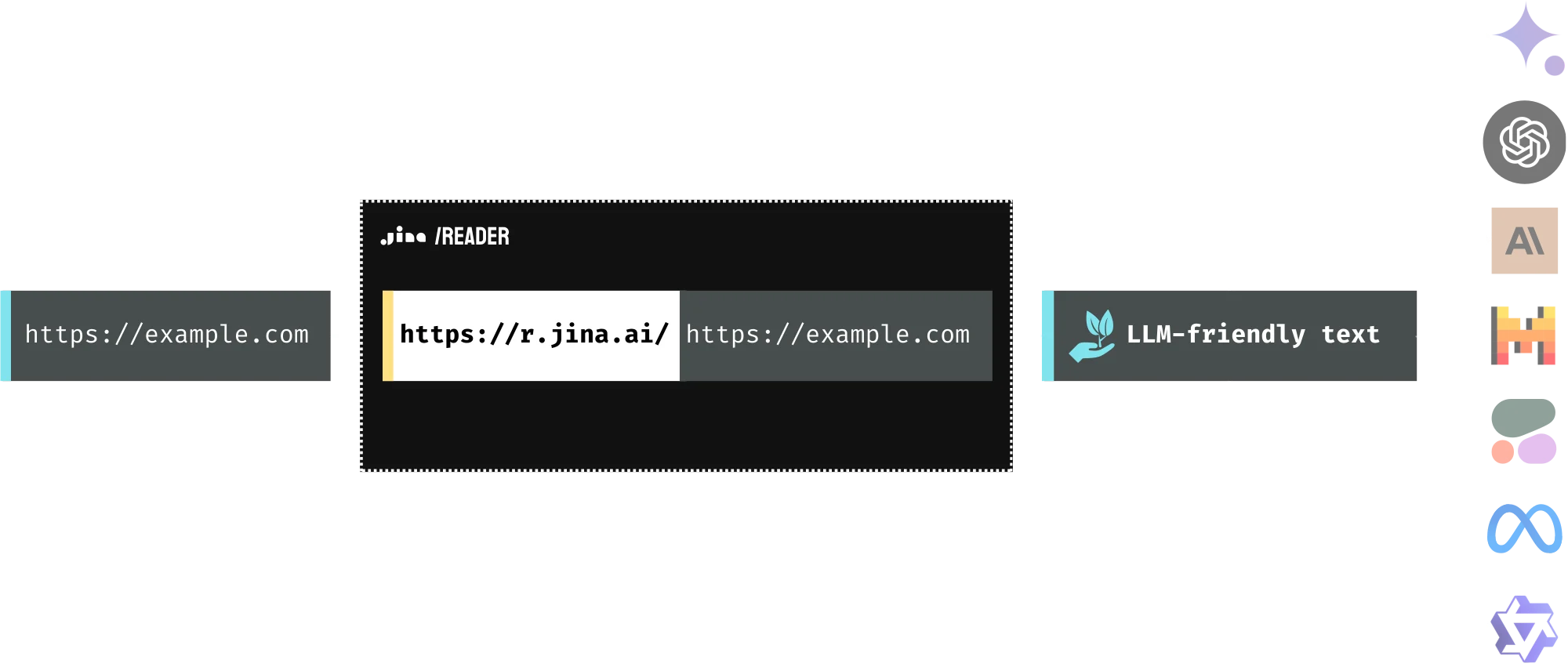
Convert a URL to LLM-friendly input by prepending r.jina.ai.


Reader API

Convert a URL to LLM-friendly input by prepending r.jina.ai.
keyAPI Key & Billing
codeUsage
more_horizMore
chevron_leftchevron_right

home
speedRate Limit
bug_reportRaise issue
help_outlineFAQ
Status
chevron_leftchevron_right

globe_book
Use r.jina.ai to read a URL and fetch its content
travel_explore
Use s.jina.ai to search the web and get SERP
Add mcp.jina.ai as your MCP server to access our API in LLMs


upload
Request
GET
curl "https://r.jina.ai/https://www.example.com"


Jina VLM: Small Multilingual Vision Language Model

A 2.4B parameter vision-language model that achieves state-of-the-art multilingual visual question answering among open 2B-scale VLMs.
Read Release Notearrow_forward

ReaderLM v2: Small Language Model for HTML to Markdown and JSON

ReaderLM-v2 is a 1.5B parameter language model specialized in HTML-to-Markdown conversion and HTML-to-JSON extraction. It supports documents up to 512K tokens across 29 languages and offers 20% higher accuracy compared to its predecessor.
Read Release Notearrow_forward

What is Reader?

Feeding web information into LLMs is an important step of grounding, yet it can be challenging. The simplest method is to scrape the webpage and feed the raw HTML. However, scraping can be complex and often blocked, and raw HTML is cluttered with extraneous elements like markups and scripts. The Reader API addresses these issues by extracting the core content from a URL and converting it into clean, LLM-friendly text, ensuring high-quality input for your agent and RAG systems. The Reader API is developer infrastructure: it converts a URL you supply into LLM-friendly text so you can build your own search, RAG, and agent systems. It is not a consumer search engine and does not index or rank the web on your behalf; you control which URLs are processed and are responsible for how the output is used.


Raw HTML

Reader Output
Reader for web search and SERP

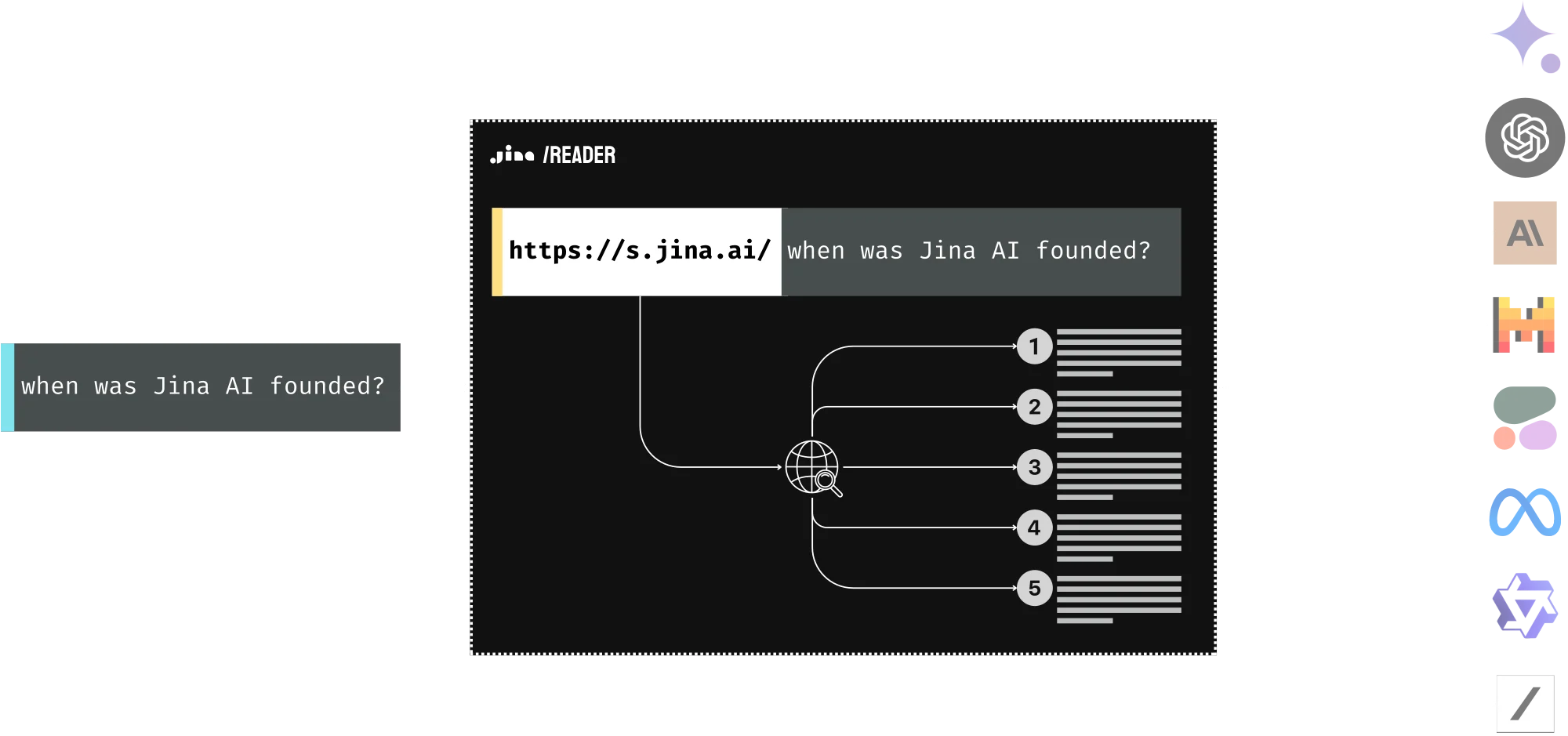
Reader can be used as SERP API. It allows you to feed your LLM with the content behind the search results engine page. Simply prepend https://s.jina.ai/?q= to your query, and Reader will search the web and return the top five results with their URLs and contents, each in clean, LLM-friendly text. This way, you can always keep your LLM up-to-date, improve its factuality, and reduce hallucinations.


info Please note that unlike the demo shown above, in practice you do not search the original question on the web for grounding. What people often do is rewrite the original question or use multi-hop questions. They read the retrieved results and then generate additional queries to gather more information as needed before arriving at a final answer.
Reader also reads images!

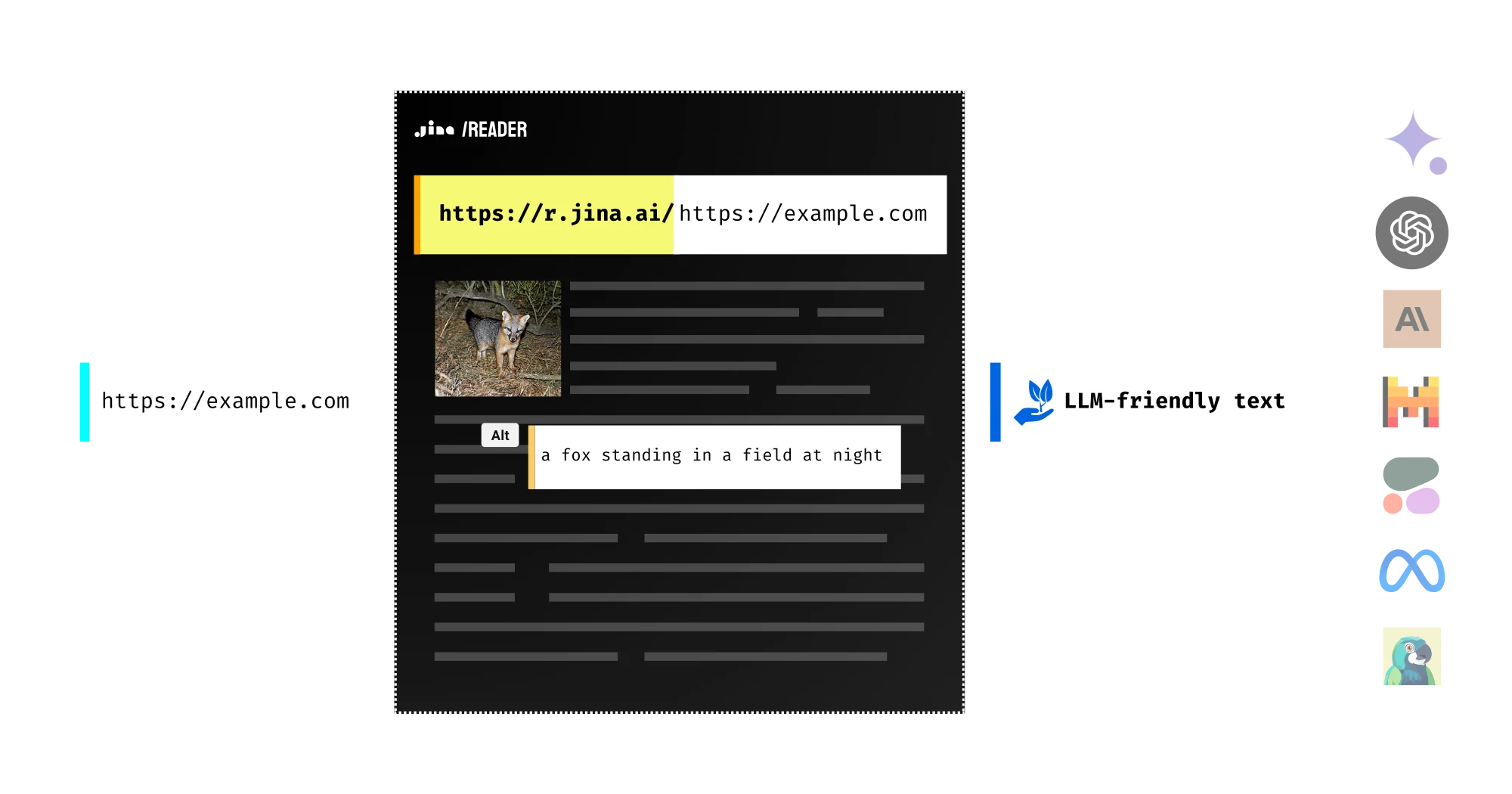
Images on the webpage are automatically captioned using a vision language model in the reader and formatted as image alt tags in the output. This gives your downstream LLM just enough hints to incorporate those images into its reasoning and summarizing processes. This means you can ask questions about the images, select specific ones, or even forward their URLs to a more powerful VLM for deeper analysis!
Reader also reads PDFs!

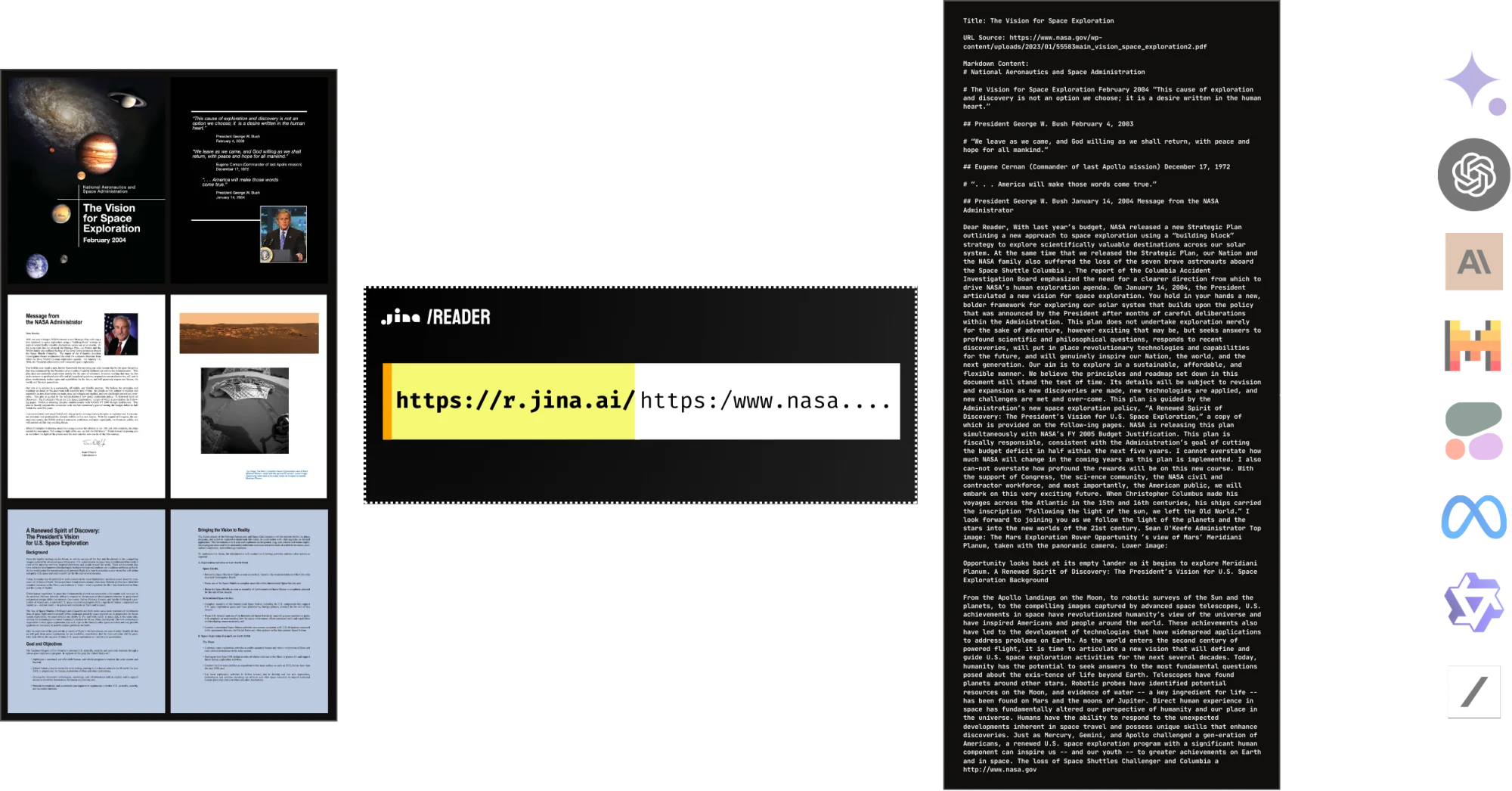
Yes, Reader natively supports PDF reading. It's compatible with most PDFs, including those with many images, and it's lightning fast! Combined with an LLM, you can easily build a ChatPDF or document analysis AI in no time.
open_in_newOriginal PDF
open_in_newReader Result

The best part? It's free!

Reader API is available for free and offers flexible rate limit and pricing. Built on a scalable infrastructure, it offers high accessibility, concurrency, and reliability. We strive to be your preferred grounding solution for your LLMs.
Rate Limit
Rate limits are tracked in three ways: RPM (requests per minute), and TPM (tokens per minute). Limits are enforced per IP/API key and will be triggered when either the RPM or TPM threshold is reached first. When you provide an API key in the request header, we track rate limits by key rather than IP address.
ProductAPI EndpointDescriptionarrow_upwardw/o API Keykey_offw/ Free API Keykeyw/ Paid API Keykeyw/ Premium API KeykeyAverage LatencyToken Usage CountingAllowed Request
Reader APIhttps://r.jina.aiConvert URL to LLM-friendly text20 RPM500 RPM500 RPMtrending_up5000 RPM7.9sCount the number of tokens in the output response.GET/POST
Reader APIhttps://s.jina.aiSearch the web and convert results to LLM-friendly textblock100 RPM100 RPMtrending_up1000 RPM2.5sEvery request costs a fixed number of tokens, starting from 10000 tokensGET/POST
Embedding APIhttps://api.jina.ai/v1/embeddingsConvert text/images to fixed-length vectorsblock100 RPM & 100,000 TPM500 RPM & 2,000,000 TPMtrending_up5,000 RPM & 50,000,000 TPM
ssid_chart
depends on the input size
help
Count the number of tokens in the input request.POST
Reranker APIhttps://api.jina.ai/v1/rerankRank documents by queryblock100 RPM & 100,000 TPM500 RPM & 2,000,000 TPMtrending_up5,000 RPM & 50,000,000 TPM
ssid_chart
depends on the input size
help
Count the number of tokens in the input request.POST
Don't panic! Every new API key contains ten millions free tokens!

API Pricing

API pricing is based on the token usage. One API key gives you access to all search foundation products.
With Jina Search Foundation API
The easiest way to access all of our products. Top-up tokens as you go.
Top up this API key with more tokens
Depending on your location, you may be charged in USD, EUR, or other currencies. Taxes may apply.
Please input the right API key to top up
Understand the rate limit
Rate limits are the maximum number of requests that can be made to an API within a minute per IP address/API key (RPM). Find out more about the rate limits for each product and tier below.
keyboard_arrow_down
Rate Limit
Rate limits are tracked in three ways: RPM (requests per minute), and TPM (tokens per minute). Limits are enforced per IP/API key and will be triggered when either the RPM or TPM threshold is reached first. When you provide an API key in the request header, we track rate limits by key rather than IP address.
ProductAPI EndpointDescriptionarrow_upwardw/o API Keykey_offw/ Free API Keykeyw/ Paid API Keykeyw/ Premium API KeykeyAverage LatencyToken Usage CountingAllowed Request
Reader APIhttps://r.jina.aiConvert URL to LLM-friendly text20 RPM500 RPM500 RPMtrending_up5000 RPM7.9sCount the number of tokens in the output response.GET/POST
Reader APIhttps://s.jina.aiSearch the web and convert results to LLM-friendly textblock100 RPM100 RPMtrending_up1000 RPM2.5sEvery request costs a fixed number of tokens, starting from 10000 tokensGET/POST
Embedding APIhttps://api.jina.ai/v1/embeddingsConvert text/images to fixed-length vectorsblock100 RPM & 100,000 TPM500 RPM & 2,000,000 TPMtrending_up5,000 RPM & 50,000,000 TPM
ssid_chart
depends on the input size
help
Count the number of tokens in the input request.POST
Reranker APIhttps://api.jina.ai/v1/rerankRank documents by queryblock100 RPM & 100,000 TPM500 RPM & 2,000,000 TPMtrending_up5,000 RPM & 50,000,000 TPM
ssid_chart
depends on the input size
help
Count the number of tokens in the input request.POST

FAQ

What are the costs associated with using the Reader API?
keyboard_arrow_down
Reader is free for basic usage: prepend 'https://r.jina.ai/' to your URL. Supplying an API key raises the rate limit and charges tokens based on content length. See Q16 for rate limits.
How does the Reader API function?
keyboard_arrow_down
The Reader API fetches the URL server-side and returns clean, LLM-ready text. You choose the fetching engine with the X-Engine header: direct issues a plain HTTP fetch and is the fastest, the default engine renders the page in a headless browser so client-side JavaScript executes before extraction, and cf-browser-rendering is an experimental Cloudflare-backed renderer. Boilerplate such as navigation, headers, footers, and ads is stripped, and the main content is converted to Markdown. Use X-Respond-With to get other shapes of the same page, and X-Target-Selector or X-Remove-Selector to keep or drop specific CSS selectors.
Is the Reader API open source?
keyboard_arrow_down
The Reader service code is available on the Jina AI GitHub organization. The models used by Reader, including ReaderLM-v2 and jina-vlm, are licensed CC-BY-NC 4.0, which is not an open-source license: they are free to download and use non-commercially, but commercial production use requires a commercial license. Elastic has sold that license separately since August 10, 2026; contact Elastic Sales to arrange one.
What is the typical latency for the Reader API?
keyboard_arrow_down
It depends mainly on the engine and on the page itself. A direct fetch of a simple page typically returns in a few hundred milliseconds, while the default browser engine has to load and execute the page before extraction and usually lands in the low seconds. Heavy single-page apps, slow origin servers, and large PDFs take longer. Repeating the same URL within 5 minutes is served from cache and returns almost immediately, so a warm URL is much faster than a cold one.
Why should I use the Reader API instead of scraping the page myself?
keyboard_arrow_down
Scraping can be complicated and unreliable, particularly with complex or dynamic pages. The Reader API provides a streamlined, reliable output of clean, LLM-ready text.
Does the Reader API support multiple languages?
keyboard_arrow_down
The Reader API is language-agnostic and returns content in the original language of the page; it does not translate. Content negotiation is available through the X-Locale header, which sets the browser locale used when rendering, so sites that serve different markup per locale can be steered to the version you want.
Does the Reader API respect website access controls?
keyboard_arrow_down
Yes. Reader operates as a standard web client and respects website access controls. If a website blocks the request, that outcome is respected. You are responsible for ensuring your use of Reader complies with the terms of the sites you access and does not infringe third-party intellectual property rights.
Can the Reader API extract content from PDF files?
keyboard_arrow_down
Yes, the Reader API can natively extract content from PDF files.
Can the Reader API process media content from web pages?
keyboard_arrow_down
Yes, Reader can caption images on webpages using the x-with-generated-alt header. This adds descriptive alt tags to images that lack them, enabling LLMs to understand visual content. Video summarization is planned for future releases.
Is it possible to use the Reader API on local HTML files?
keyboard_arrow_down
No, the Reader API can only process content from publicly accessible URLs.
Does Reader API cache the content?
keyboard_arrow_down
If you request the same URL within 5 minutes, the Reader API will return the cached content.
Can I use the Reader API to access content behind a login?
keyboard_arrow_down
Yes, for pages that accept cookie-based sessions. Pass your session cookies with the X-Set-Cookie header and the Reader forwards them when fetching the URL, using the same <name>=<value> form as a normal Set-Cookie, optionally scoped with ; domain=. Requests carrying cookies are never cached, so each one is a fresh fetch. This does not perform a login for you: it replays credentials you already hold, so you are responsible for obtaining them and for complying with the target site's terms of service. Flows that require an interactive login, MFA, or a bearer token the page fetches itself are out of scope.
Can I use the Reader API to access PDF on arXiv?
keyboard_arrow_down
Yes, you can either use the native PDF support from the Reader (https://r.jina.ai/https://arxiv.org/pdf/2310.19923v4) or use the HTML version from the arXiv (https://r.jina.ai/https://arxiv.org/html/2310.19923v4)
How does image caption work in Reader?
keyboard_arrow_down
Reader captions all images at the specified URL and adds `Image [idx]: [caption]` as an alt tag (if they initially lack one). This enables downstream LLMs to interact with the images in reasoning, summarizing etc.
What is the scalability of the Reader? Can I use it in production?
keyboard_arrow_down
The Reader API is designed to be highly scalable. It is auto-scaled based on the real-time traffic and the maximum concurrency requests is now around 4000. We are maintaining it actively as one of the core products of Jina AI. So feel free to use it in production.
What is the rate limit of the Reader API?
keyboard_arrow_down
Please find the latest rate limit information in the table below. Note that we are actively working on improving the rate limit and performance of the Reader API, the table will be updated accordingly.
speedRate limit
What is ReaderLM? How can I use it?
keyboard_arrow_down
ReaderLM-v2 is a 1.54B parameter small language model that converts raw HTML into clean Markdown or JSON, and can extract structured data using a JSON schema or natural language instructions. Use it via the Reader API with the x-respond-with: readerlm-v2 header, or deploy it from the AWS, Azure, or GCP marketplaces. For image-heavy or scanned documents, jina-vlm is our 2.4B parameter vision-language reader model.
launchAWS SageMakerlaunchGoogle CloudlaunchMicrosoft Azure
How do I extract structured data from webpages?
keyboard_arrow_down
Use the x-json-schema header with a JSON schema definition, or use x-instruction header with natural language instructions. Both features work with ReaderLM-v2 to extract specific fields like prices, titles, dates, etc. from any webpage into structured JSON format.
Does Reader actively bypass website anti-bot protection?
keyboard_arrow_down
No. Reader does not actively circumvent or bypass any website defense mechanisms, anti-bot systems, or access controls. If a website detects our service as a bot and blocks the request, that outcome is respected. We operate as a standard web client and do not employ techniques designed to evade detection systems. You remain responsible for ensuring your use of Reader respects third-party intellectual property rights and the terms of the sites you access.
Will upgrading from a free to a paid API key give me access to more websites?
keyboard_arrow_down
No. Upgrading from a free tier to a paid API key does not grant access to additional websites or bypass any site restrictions. The difference between tiers is primarily in rate limits and performance optimizations. A paid API key provides higher request throughput and faster processing, but it does not enable access to websites that block our service.
Can I run Reader inside my own infrastructure?
keyboard_arrow_down
Yes. The reader models ship as self-contained offline Docker containers under the Jina On-Prem commercial license that Elastic has sold as its own SKU since August 10, 2026. This is the path for air-gapped and firewalled environments, where the containers make no outbound connections of any kind. Note that fetching arbitrary public web pages still requires network access to those pages; the on-prem value is in running the extraction models locally. Contact Elastic Sales for a quote.

How to get my API key?

video_not_supported

What's the rate limit?

Rate Limit
Rate limits are tracked in three ways: RPM (requests per minute), and TPM (tokens per minute). Limits are enforced per IP/API key and will be triggered when either the RPM or TPM threshold is reached first. When you provide an API key in the request header, we track rate limits by key rather than IP address.
ProductAPI EndpointDescriptionarrow_upwardw/o API Keykey_offw/ Free API Keykeyw/ Paid API Keykeyw/ Premium API KeykeyAverage LatencyToken Usage CountingAllowed Request
Reader APIhttps://r.jina.aiConvert URL to LLM-friendly text20 RPM500 RPM500 RPMtrending_up5000 RPM7.9sCount the number of tokens in the output response.GET/POST
Reader APIhttps://s.jina.aiSearch the web and convert results to LLM-friendly textblock100 RPM100 RPMtrending_up1000 RPM2.5sEvery request costs a fixed number of tokens, starting from 10000 tokensGET/POST
Embedding APIhttps://api.jina.ai/v1/embeddingsConvert text/images to fixed-length vectorsblock100 RPM & 100,000 TPM500 RPM & 2,000,000 TPMtrending_up5,000 RPM & 50,000,000 TPM
ssid_chart
depends on the input size
help
Count the number of tokens in the input request.POST
Reranker APIhttps://api.jina.ai/v1/rerankRank documents by queryblock100 RPM & 100,000 TPM500 RPM & 2,000,000 TPMtrending_up5,000 RPM & 50,000,000 TPM
ssid_chart
depends on the input size
help
Count the number of tokens in the input request.POST
API-related common questions
code
Can I use the same API key across all Jina APIs?
keyboard_arrow_down
Yes. One API key is valid for all Jina AI search foundation products, including the Reader, Embeddings, Reranker, Classifier, and Segmenter APIs, with tokens shared across all of them.
code
Can I monitor the token usage of my API key?
keyboard_arrow_down
Yes, token usage can be monitored in the 'API Key & Billing' tab by entering your API key, allowing you to view the recent usage history and remaining tokens. If you have logged in to the API dashboard, these details can also be viewed in the 'Manage API Key' tab.
code
What should I do if I forget my API key?
keyboard_arrow_down
If you have misplaced a topped-up key and wish to retrieve it, please contact support AT jina.ai with your registered email for assistance. It's recommended to log in to keep your API key securely stored and easily accessible.
Contact
code
Do API keys expire?
keyboard_arrow_down
No, our API keys do not have an expiration date. If a key is compromised, revoke it yourself in the API Key Management dashboard, which takes effect immediately; issue a replacement key first if you want to avoid downtime. Any remaining token balance stays on your account rather than on the revoked key. If you cannot access the dashboard, or believe the account itself is compromised, raise it with Elastic Support.
Contact
code
Can I transfer tokens between API keys?
keyboard_arrow_down
Yes, you can transfer tokens from a premium key to another. After logging into your account on the API Key Management dashboard, use the settings of the key you want to transfer out to move all remaining paid tokens.
code
Can I revoke my API key?
keyboard_arrow_down
Yes, you can revoke your API key if you believe it has been compromised. Revoking a key will immediately disable it for all users who have stored it, and all remaining balance and associated properties will be permanently unusable. If the key is a premium key, you have the option to transfer the remaining paid balance to another key before revocation. Notice that this action cannot be undone. To revoke a key, go to the key settings in the API Key Management dashboard.
code
Why is the first request for some models slow?
keyboard_arrow_down
This is because our serverless architecture offloads certain models during periods of low usage. The initial request activates or 'warms up' the model, which may take a few seconds. After this initial activation, subsequent requests process much more quickly.
code
Is my API data used to train your models?
keyboard_arrow_down
No. We never use your API requests, inputs, or outputs to train our embedding, reranker, or any other models. Your data remains yours.
code
What are the rate limits for Jina APIs?
keyboard_arrow_down
Rate limits apply per API key:

Free: 100 RPM, 100K TPM
Paid: 500 RPM, 2M TPM
Premium: 5,000 RPM, 50M TPM

There is also an IP-based limit of 10,000 requests per 60 seconds. Limits vary by endpoint; see the rate limit table above for per-endpoint figures.
code
Are there batch size limits for the APIs?
keyboard_arrow_down
There is no batch size limit for either the Embeddings or Reranker APIs. You can send as many items or documents as needed per request. Both APIs batch inputs internally by token count for optimal GPU utilization.
code
Are the Jina APIs the same thing as Jina models inside Elastic?
keyboard_arrow_down
No, they are three separate paths. The Jina APIs on this site are self-serve and pay-as-you-go with a Jina API key. The Elastic Inference Service (EIS) runs Jina models inside Elastic Cloud, billed through your Elastic subscription, with no infrastructure for you to manage. Jina On-Prem is a commercial license, sold by Elastic as its own SKU since August 10, 2026, for running the models in your own self-managed, on-premises, or air-gapped infrastructure. For the EIS and On-Prem paths, contact Elastic Sales.
Billing-related common questions
attach_money
Is billing based on the number of sentences or requests?
keyboard_arrow_down
Our pricing model is based on the total number of tokens processed, allowing users the flexibility to allocate these tokens across any number of sentences, offering a cost-effective solution for diverse text analysis requirements.
attach_money
Is there a free trial available for new users?
keyboard_arrow_down
Yes. New users get an auto-generated API key with free tokens usable across any of our models. Once the free tokens are consumed, you can purchase additional tokens for the key in the 'Buy tokens' tab.
attach_money
Are tokens charged for failed requests?
keyboard_arrow_down
No, tokens are not deducted for failed requests.
attach_money
What payment methods are accepted?
keyboard_arrow_down
Payments are processed through Stripe, supporting a variety of payment methods including credit cards, Google Pay, and PayPal for your convenience.
attach_money
Is invoicing available for token purchases?
keyboard_arrow_down
For self-serve token purchases, Stripe issues an invoice to the email address associated with your Stripe account at the time of purchase. If you need a formal purchase order, a negotiated contract, procurement paperwork, or consolidated billing, that runs through Elastic rather than Stripe: contact Elastic Sales.
attach_money
How do I buy a commercial license rather than API tokens?
keyboard_arrow_down
Token purchases on this site cover use of the hosted Jina APIs. They do not license you to run the model weights in your own infrastructure. For that, Elastic has sold a commercial license as its own SKU since August 10, 2026, priced annually rather than per token. Contact Elastic Sales for a quote.
attach_money
Can I pay by invoice or purchase order instead of card?
keyboard_arrow_down
Self-serve token purchases are processed through Stripe and invoiced automatically to your Stripe account email. For purchase orders, procurement processes, or volumes above what self-serve top-up supports, contact Elastic Sales.
attach_money
I paid, but my balance or rate limit has not changed. What should I check?
keyboard_arrow_down
Balance and rate limits belong to an API key, not to the account, so the first thing to check is the key itself rather than the account page: enter it in the API Key & Billing tab and confirm the balance and tier there. If the account holds more than one key, the tokens are on the key that was topped up, which may not be the key your application is sending. A new tier can also take a short time to propagate after payment. If the key shows the balance but is still limited at the previous tier after that, contact support.
attach_money
How do I cancel, stop auto top-up, or remove a saved payment method?
keyboard_arrow_down
Self-serve billing is managed from the customer portal reachable via the API Key & Billing tab, where auto top-up can be switched off and saved payment methods removed. Turning off auto top-up stops future charges but leaves any balance already purchased usable. If you also want the account and its data removed, or a refund considered, send that request to support; account deletion is handled manually and takes a few business days, and you will get written confirmation once it is done.
Current language / theme
Search Foundation
Reader
Embeddings
Reranker
Get Jina API key
Rate Limit
About us
News
Download Jina logo
open_in_new
Download Elastic logo
open_in_new
API Status
Elastic © 2026.SecurityTerms & ConditionsPrivacyManage CookiesDo Not Sell or Share My Personal Information
This website and all associated content, software, products, and services are intended for professional use only. No consumer use is intended or directed.